Build a model from an unsegmented scan
*Best used for printing prep scan for support.
This is a very straightforward edge case where we simply add thickness to an existing scan and create the base. We do not alter the scan itself, so if you want any changes to it, they will have to be done outside of the Review project in software of your choice before adding it here.
Workflow:
1. Add an unsegmented scan to a Review project. First, you need to have it in your documentation. Ways to add it to a Review project:
- You can create a Review project, open it, click on "Add to scene" button in the top right corner and select it from your documentation.
- You can export it via the "Send to Review" feature from a Blueprint project where it is added as an additional scan.
2. Open the Model Builder tool.
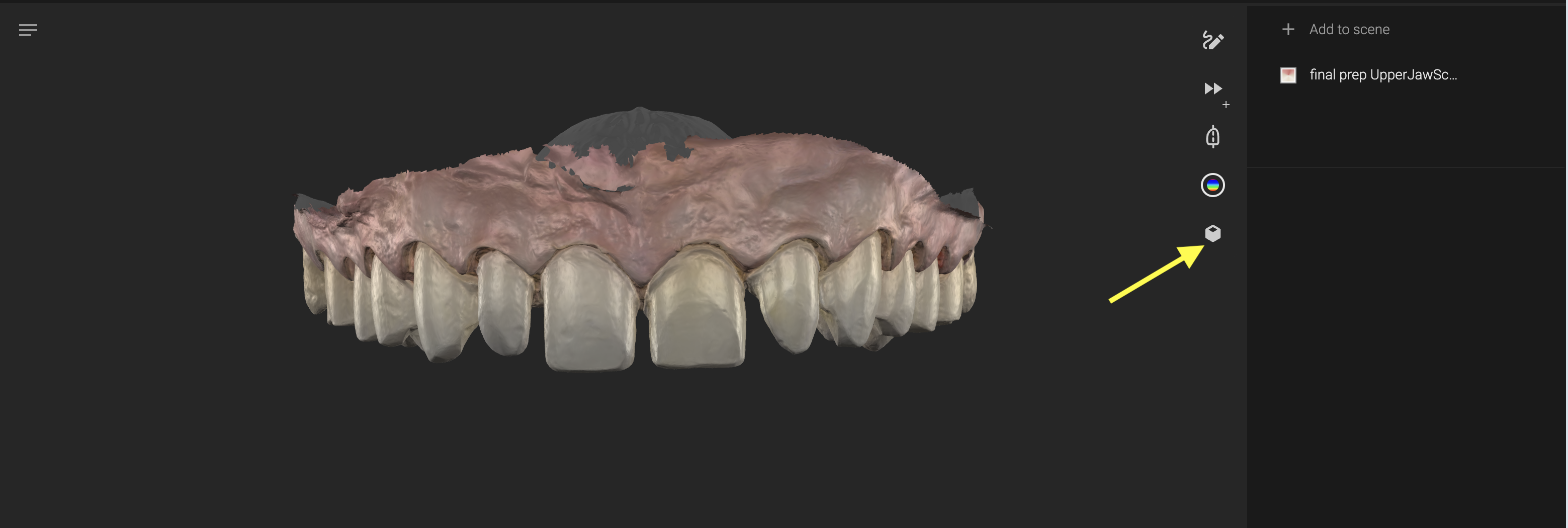
3. Select the scan:
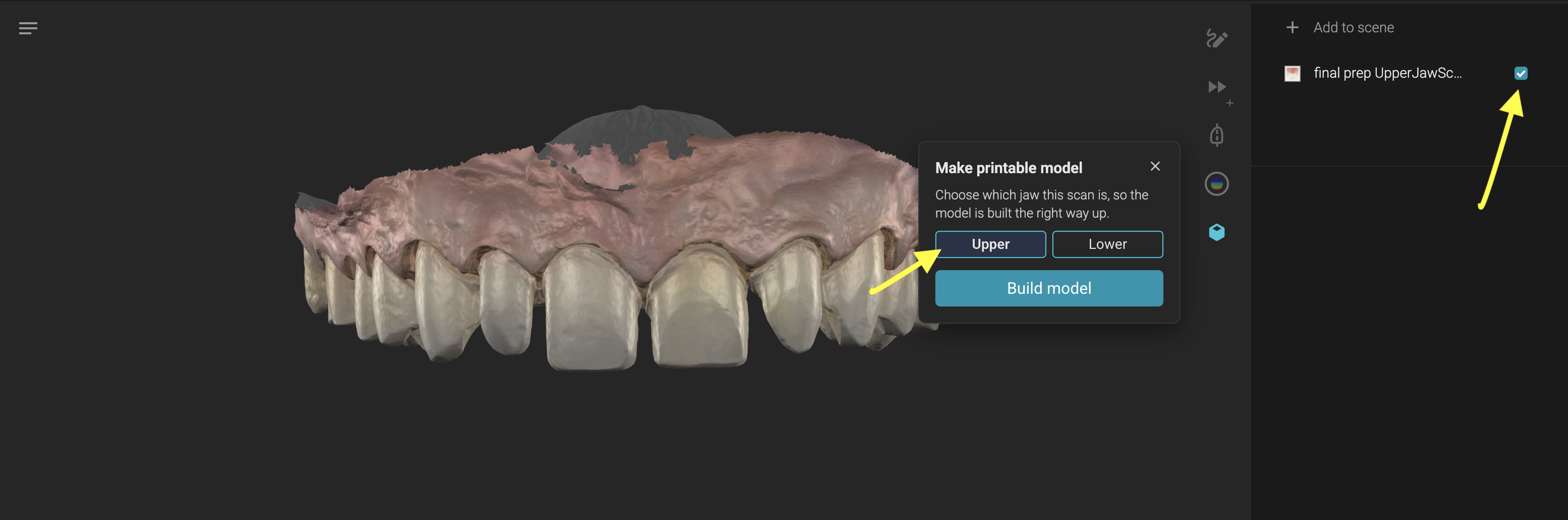
- If your scan is imported directly into the Review project you need to define if it is an upper or lower scan. Select the Upper/Lower option depending on the added scan.
- If your unsegmented scan is imported to a Review project from a Blueprint, upon selecting the scan, the model builder will know if it is an Upper or Lower scan from the Blueprint where you uploaded it as an additional scan.
4. Once the Upper/Lower option is selected, a "Build Model" button will appear in the pop-up window of the Model Builder. Press it
5. A loader appears in the model builder with a preview of the selected elements to create a model from. You can close the model builder, you can even leave the Review project and continue working in Smilecloud. Upon completion you will be notified and given the option to reveal the model, taking you back into the Review project with the model ready.
6. Feel free to download the model from the Model Builder pop-up window button or you can download it by selecting it in the sidebar and pressing the Download button at the top of the Review project.
Advantages: Great when you need a printable model of the intra oral situation
Disadvantage: Any change you need on the scan has to be done outside of the Review project
Dos and Don'ts:
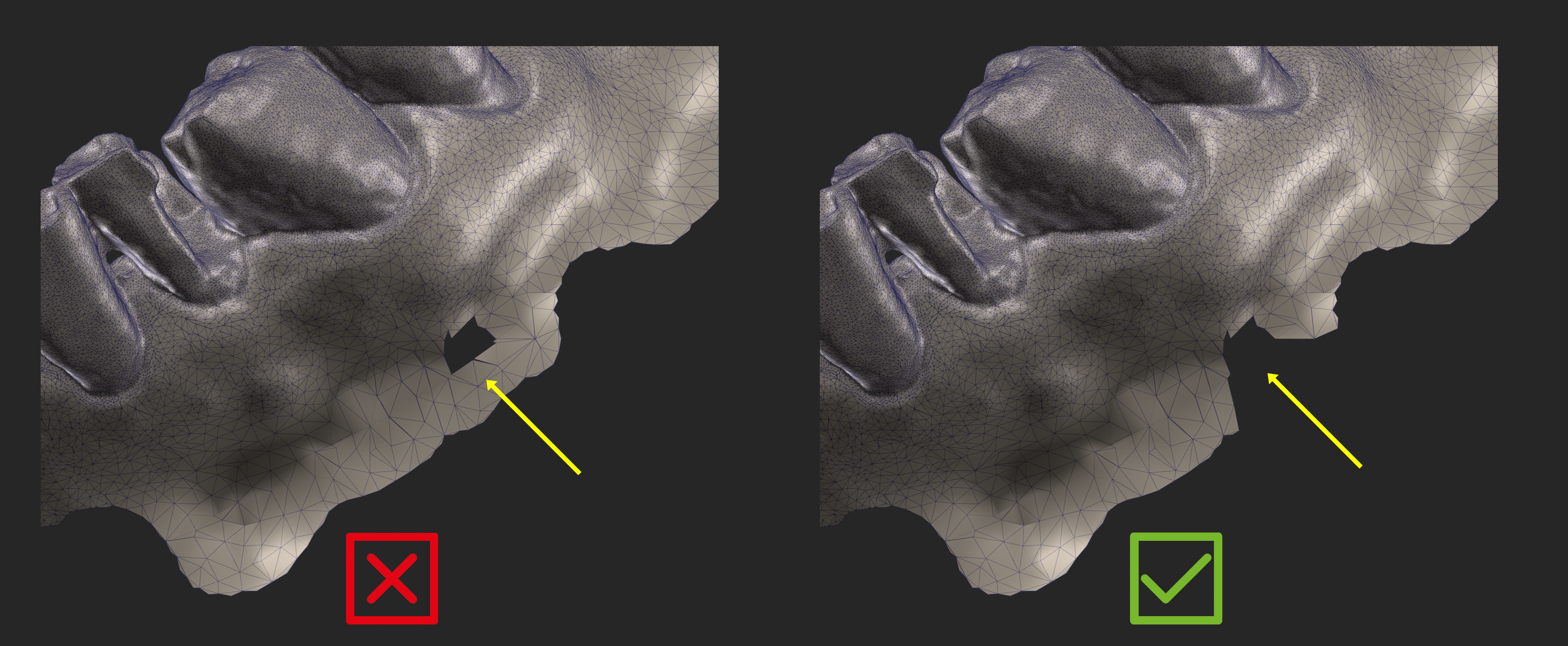
❌ Do not use scans with self intersecting surfaces especially on its margins
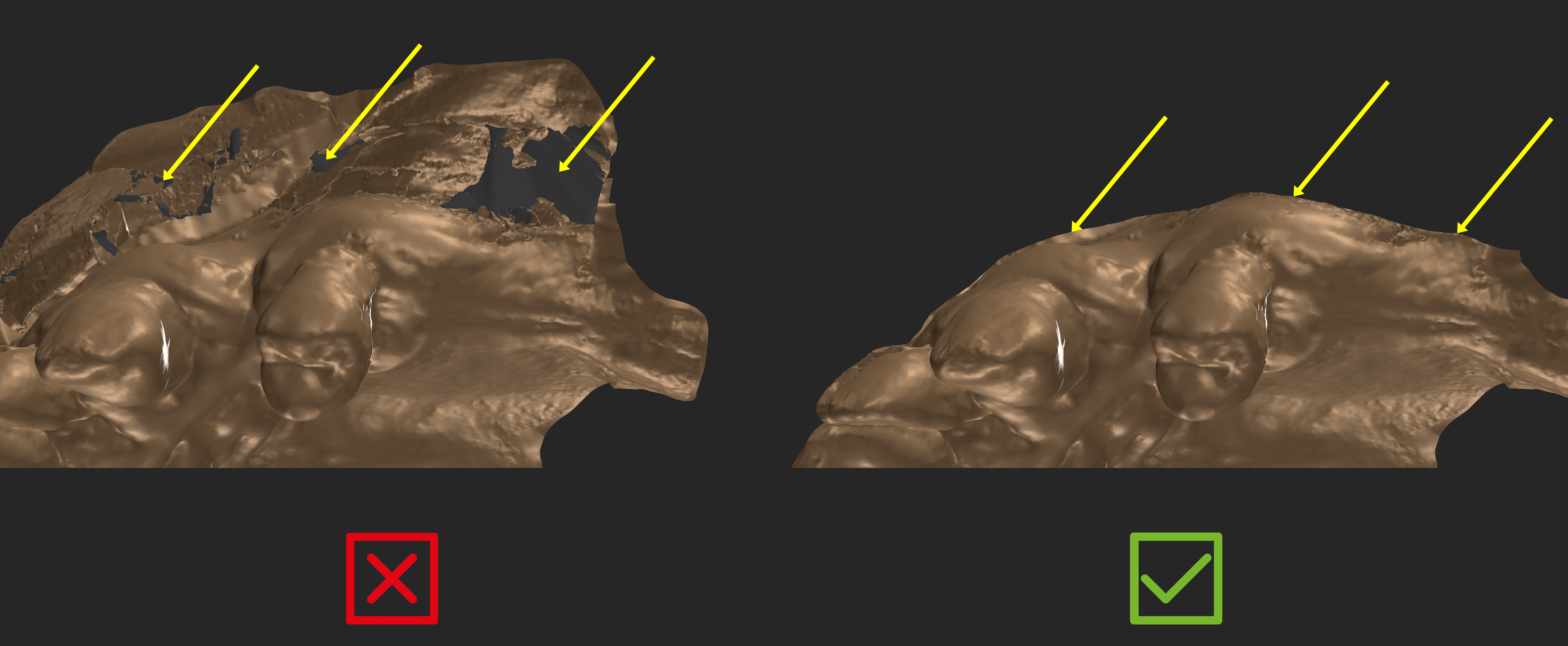
❌ Do not use scans with flipped surface normals.
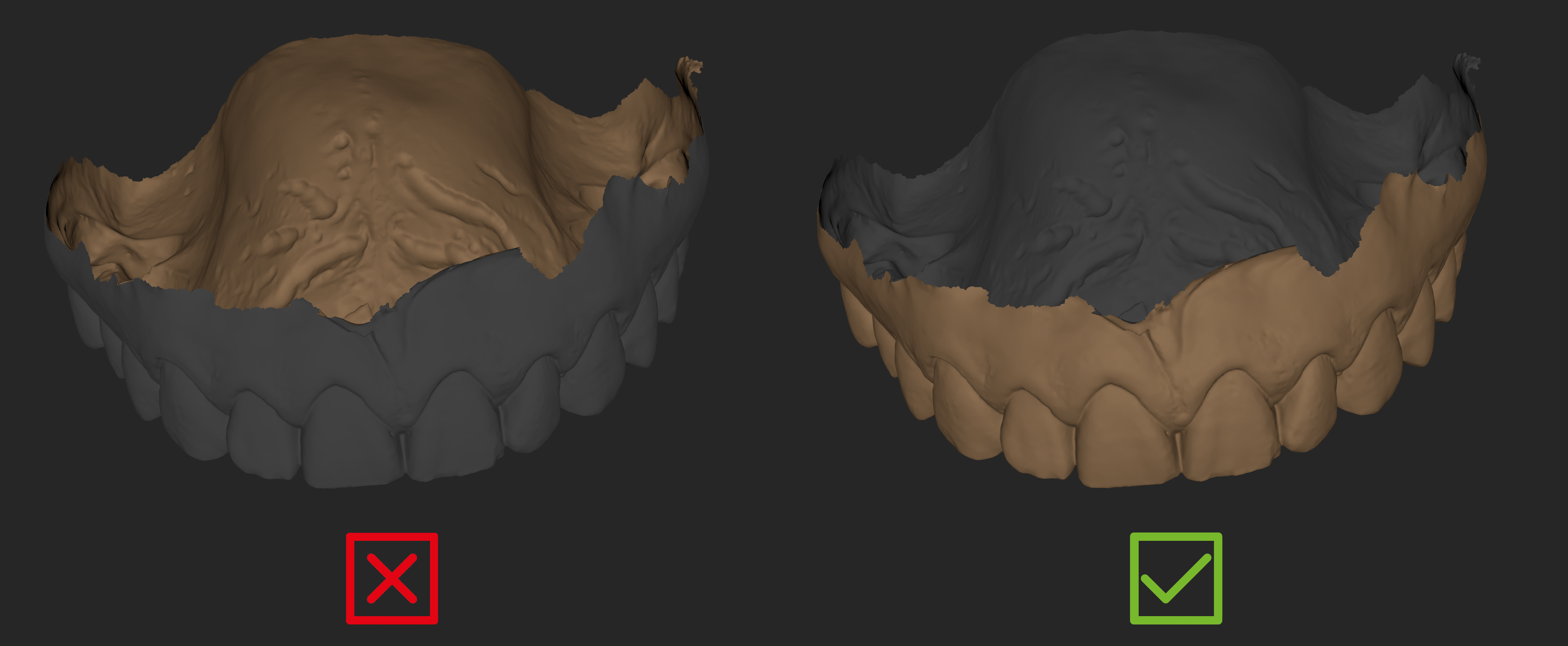
❌ Avoid having holes near the scan margins without sufficient polygons around it.